
Tutorial: AI Assistant
The AI Assistant is more than a chatbot. It is an intelligence layer built across PortfolioPilot that understands your portfolio, risk profile, goals, retirement plans, and market conditions, and can take action for you inside the app.
Because it combines large-language models with PortfolioPilot's own analytics, portfolio engine, tax modeling, and forecasting systems, it can retrieve live data, run calculations, trigger simulations, and build draft portfolios, all grounded in your actual financial picture.
This tutorial shows you where to find it, how to use it, what it can and cannot do, and walks through real examples: analyzing your retirement plan, comparing two funds, screening for stocks, and building a draft portfolio.
Using the AI Assistant, you can:
- Analyze your portfolio in real time: your Portfolio Score, risk, expected returns, dividends, and diversification.
- Model retirement what-ifs: retire earlier, add an inheritance or a new income stream, change your assumptions, and see your new probability of success.
- Run forward-looking market simulations: a recession, a high-inflation environment, and other scenarios.
- Screen for individual stocks using structured filters.
- Build and edit a Draft Portfolio: add or remove holdings, then review before you act.
- Research securities and compare funds: news, price, expected return, and fees.
- Learn: ask for a plain-language explanation of any investing or product concept.
- Get product help: how to connect an account, or where to change a setting.
What you'll find in this tutorial
You do not have to follow these in order. Click any section to jump straight to it, or open the AI Assistant in the app to follow along.
- Who can use the AI Assistant
- Where to find the AI Assistant (desktop and mobile)
- Getting started
- What the AI Assistant can do
- Get an automatic portfolio review
- Example: analyze and improve your retirement plan
- Example: compare two funds via chat
- Example: screen for stocks
- Example: build a draft portfolio
- What the AI Assistant cannot do
Learn more: Why this matters and Next steps.
Throughout, the red markings on each screenshot point to exactly what the text is describing: a (1) in the text matches the 1 badge on the image. Where the phone layout differs, a mobile screenshot follows the desktop one.
Who can use the AI Assistant?
The AI Assistant is available to Gold, Platinum, and Pro subscribers, all of which come with a 10-day free, no-credit-card trial. Gold includes up to 5 Assistant requests a day; Platinum and Pro are unlimited. On a free account, you will still see the Assistant button. Opening it invites you to start a trial or upgrade so you can use it.
Where to find the AI Assistant
On desktop
The Assistant button (with a sparkles icon) sits in the top navigation bar, to the right of the search box. Clicking it opens the Assistant in a panel on the right side of the screen, so you can interact with it without leaving the page you are on.
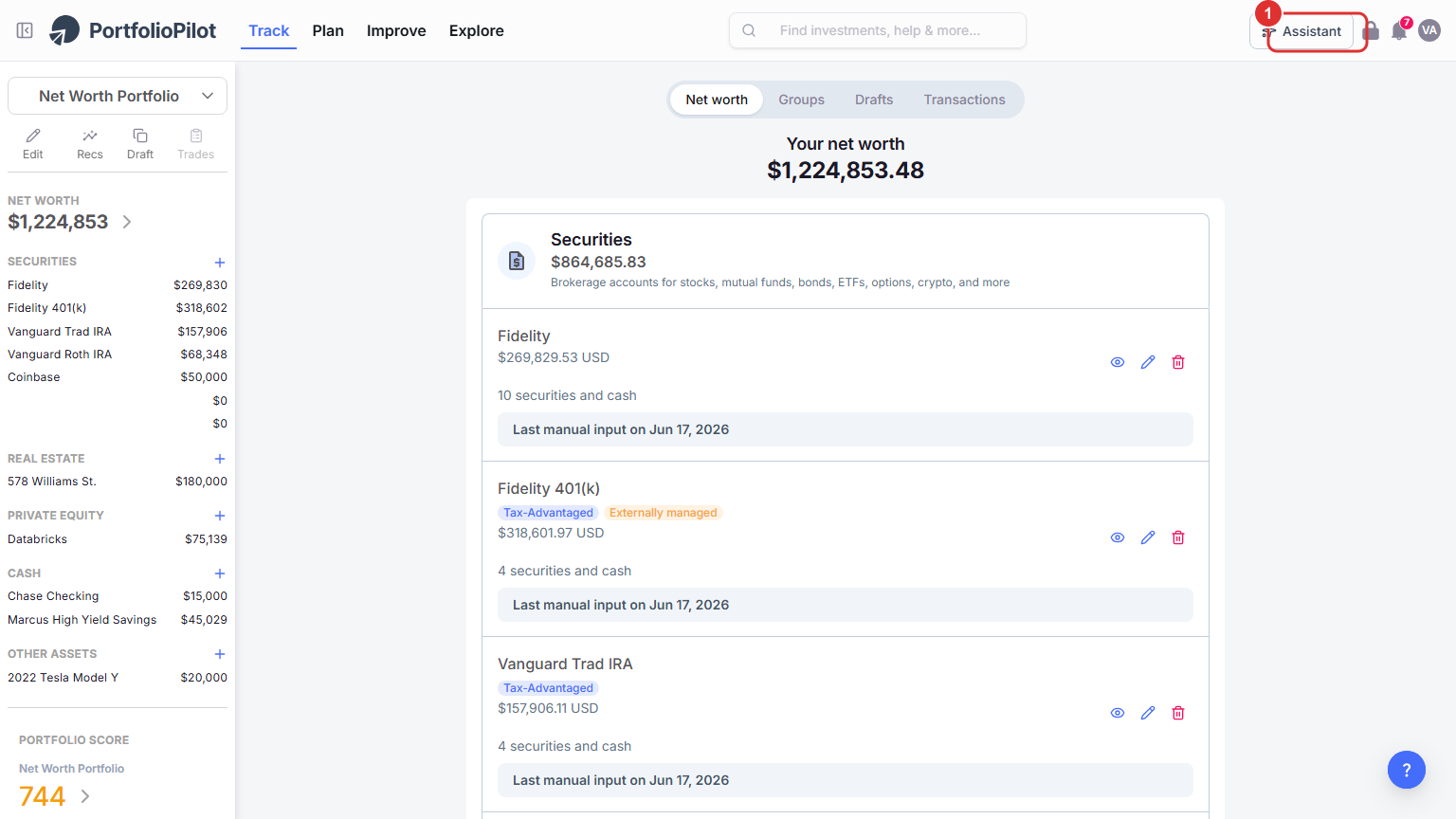
On desktop, open the Assistant from the Assistant button in the top navigation bar. Figures shown are illustrative.
On mobile
On mobile, open the Assistant from the navigation menu. It opens as a full-screen chat that slides up from the bottom, optimized for a small screen. You can ask questions, run simulations, and read insights just as you would on desktop.
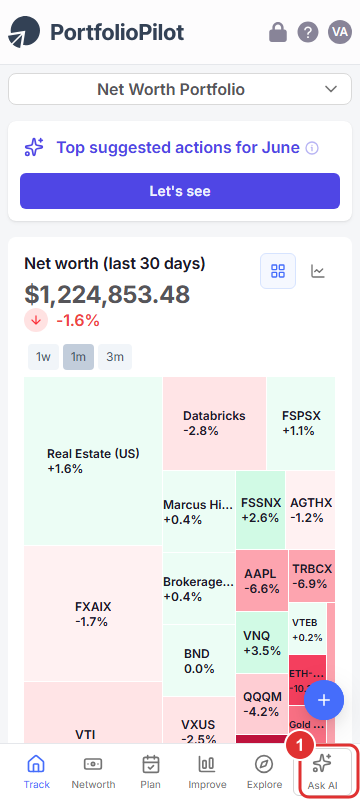
Mobile view: open the Assistant from the bottom navigation; it opens as a full-screen chat. Figures shown are illustrative.
Getting started
When the Assistant opens, it greets you with a short message, a link to our important disclosures, and a few suggested prompts. The suggestions are context-aware: the panel knows which area of the app you are on, Track, Plan, Improve, or Explore, and offers prompts that fit. To ask your own question, type it into the Ask anything... box at the bottom and press the send arrow.
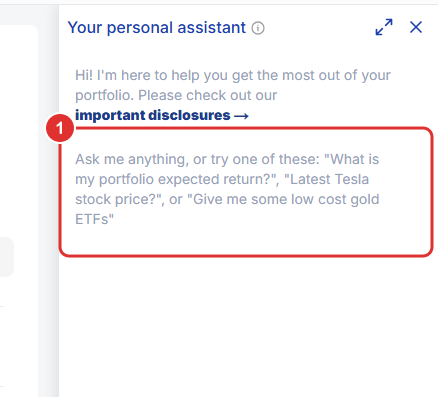
The Assistant opens in a side panel with context-aware suggested prompts and an 'Ask anything...' box. It stays available as you move across Track, Plan, Improve, and Explore. Figures shown are illustrative.
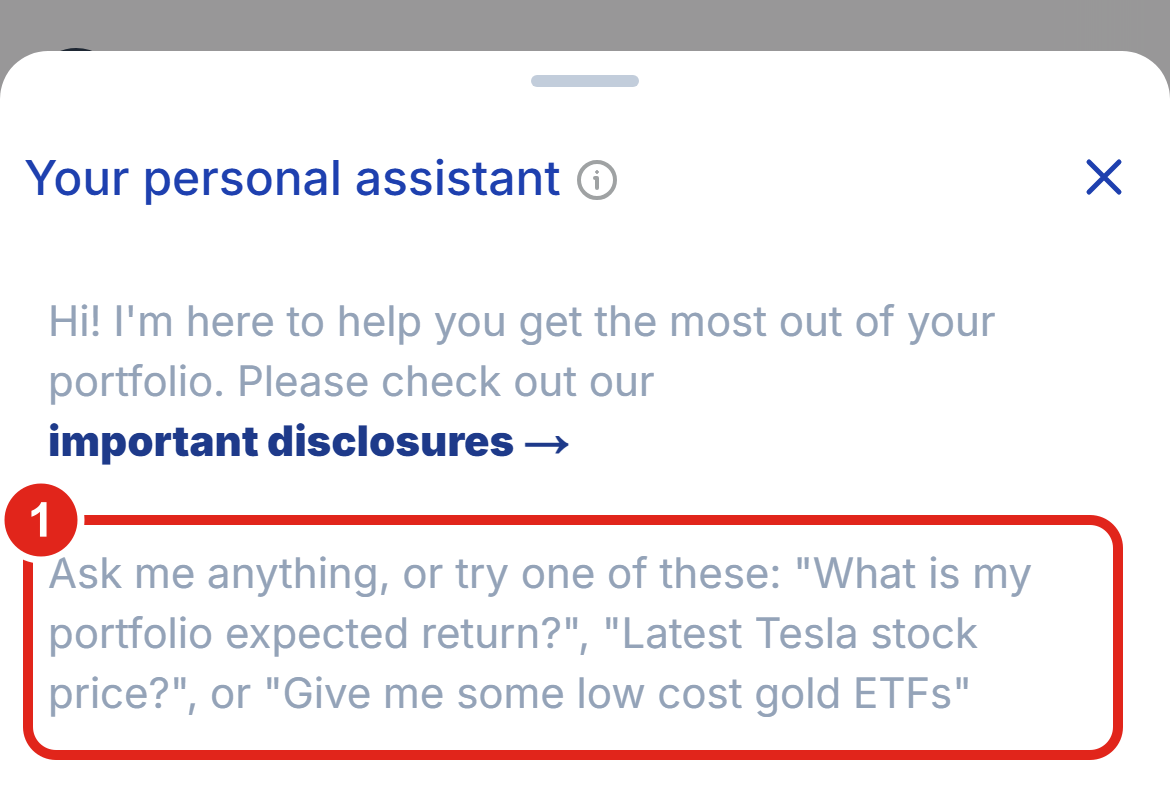
Mobile view: the same greeting and context-aware suggested prompts in the full-screen chat. Figures shown are illustrative.
What the AI Assistant can do
Unlike a plain chatbot, the Assistant can call PortfolioPilot's own tools and act inside the app. The main things you can ask it to do, with example prompts:
- Create retirement what-if scenarios: "Retire 3 years earlier and show my new probability of success." "Add a $200,000 inheritance at age 60." "Increase my retirement spending to $12,000 per month."
- Run forward-looking simulations: "What happens to my portfolio if we enter a recession next year?" "Run a high-inflation scenario."
- Screen for stocks: "Find low-volatility dividend stocks with positive expected returns." "What are the top 5 highest expected-returning energy stocks?"
- Build a draft portfolio: "Add VTI to a draft portfolio." "Remove GOOG and rebalance."
- Analyze your portfolio: "What is my Portfolio Score?" "What is the worst part of my Portfolio Score?" "What are my total expected returns?" "What about my yearly dividend returns?"
- Research securities and compare funds: "Show me the latest news for Tesla." "What is the beta of WMT?" "Price of VOO?" "Compare VOO and VTI."
- Learn: "Explain dollar-cost averaging." "Explain dividends to me like I'm 5." "What do you mean by TIPS?"
- Get product help: "How do I connect a new account?" "Where can I update my risk profile?" "What data does PortfolioPilot use?"
When the Assistant runs a tool, it shows the result as a card with a button: for example, a Retirement Scenario Created card with View Scenario, or a draft-portfolio card with Open Draft Portfolio, so you can jump straight to the result and keep working.
Get an automatic portfolio review
The Assistant can proactively analyze your whole portfolio and tell you where to focus. Ask something like "What's the weakest part of my portfolio?" or "Read my portfolio assessment," and it reviews and highlights:
- Risk Profile alignment: whether your current holdings match your stated risk preference.
- Downside Protection: how resilient your portfolio is to market stress.
- Risk-Adjusted Returns: how much expected return you are getting for the risk you take.
- Your overall Portfolio Score.
- Concentration: over-exposure to a single sector, holding, or asset class.
For example, the Assistant may point out that your portfolio is riskier than the level you said you were comfortable with, or that it is heavily concentrated in one sector or a single stock, and then suggest specific fixes you can act on with Personalized Recommendations.
Example: analyze and improve your retirement plan
This is the most common way people use the Assistant. From your Retirement Planning page, open the Assistant and ask a what-if in plain English. It builds the scenario for you and shows the new outcome.
- Open Plan and the Assistant, then ask: "Retire 3 years earlier and show me my new probability of success."
- To protect your live plan, the Assistant offers to set this up as a separate what-if scenario. Confirm, and it builds it and returns a Retirement Scenario Created card. Click View Scenario to open it on the Retirement Planning page and see the updated Monte Carlo success probability.
Keep iterating in the same chat: "Add a $200,000 inheritance at age 60," "Add $30,000 a year of rental income from 65 to 80," or "Increase my spending to $12,000 per month." Each request updates the scenario so you can see the effect immediately.
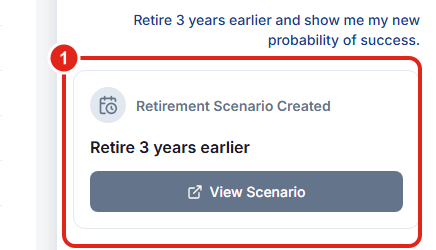
Ask a retirement what-if in plain English; the Assistant builds it as a separate what-if scenario and links you straight to the updated projection. Figures shown are illustrative.
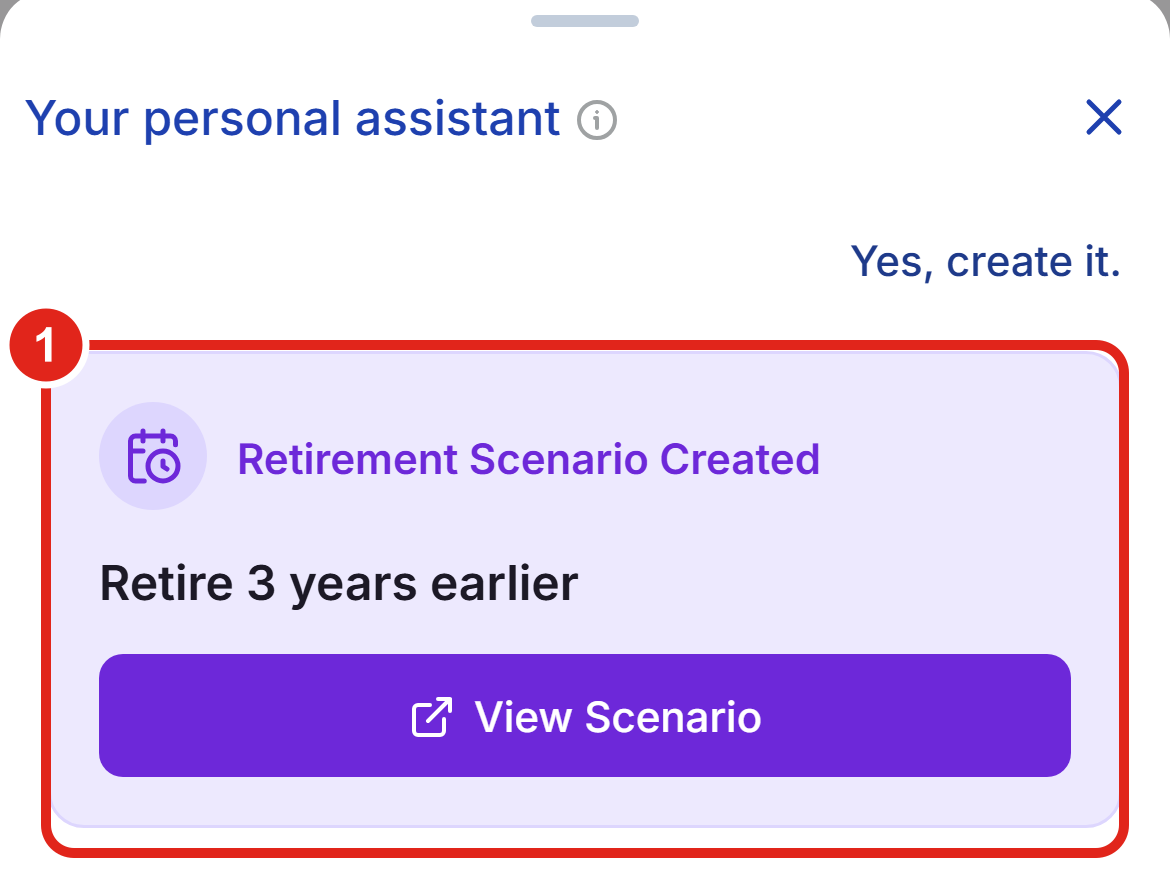
Mobile view: the same retirement what-if in the full-screen chat. Figures shown are illustrative.
Good to know: the Assistant builds these as what-if scenarios. Your base retirement plan is never overwritten. To learn how to read and improve the success probability, the sustainable-withdrawal rate, and tax-efficient withdrawals, see the Retirement Planning tutorial.
Example: compare two funds via chat
You can ask the Assistant to compare funds or ETFs in plain English and it answers conversationally, covering fees, what each holds, and how they differ, so you do not have to open multiple tabs. Try:
- "Compare VOO and VTI, which has lower fees and how do they differ?"
- "What is a lower-cost alternative to a fund I already own?"
- "Show me some low-cost gold ETFs."
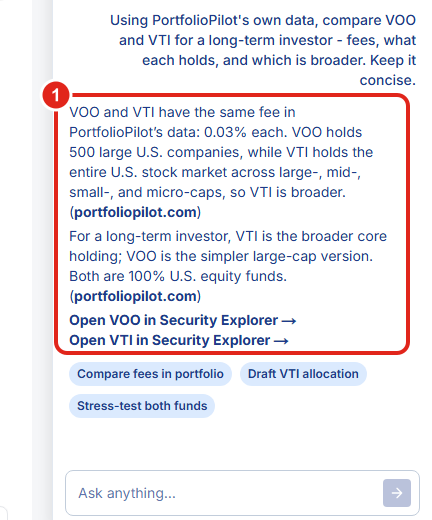
Ask the Assistant to compare two funds and it answers in plain language, fees, what each holds, and the key differences, with a link to the side-by-side view in the Security Explorer. Figures shown are illustrative.
Note: the structured stock screener below covers individual stocks; fund and ETF questions like these are answered conversationally (or you can use the Fund Screener in the Explore area).
Example: screen for stocks
Describe the kind of stock you are looking for and the Assistant applies structured filters, then returns matching securities with a card that opens the full results in the Stock Screener.
Ask: "Find low-volatility dividend stocks with positive expected returns."
The Assistant returns a short analysis with example matches and a screener card; click Explore Dividend Stocks to open the full, filterable results in the Stock Screener.
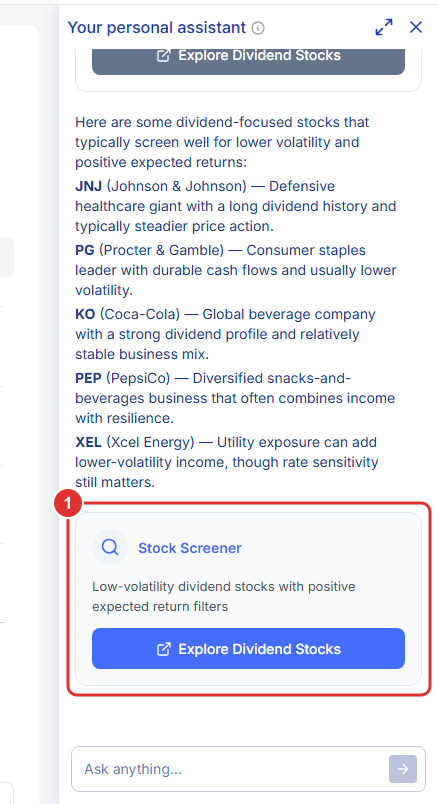
Describe the stocks you want and the Assistant builds the screen for you, then opens the full results. Figures shown are illustrative.
Note: the Assistant's screener searches individual stocks, not ETFs or funds. For funds, ask it to compare them conversationally (above) or use the Fund Screener in Explore.
Example: build a draft portfolio
The Assistant can stage changes in a Draft Portfolio, a safe copy of your holdings, so you can test ideas before doing anything in your real accounts.
Ask: "Create a draft portfolio that adds VTI and BND to my current holdings," or "Remove GOOG and rebalance."
The Assistant builds the draft and returns a card; click Open Draft Portfolio to review the new allocation, expected return, risk, and Portfolio Score before you act.
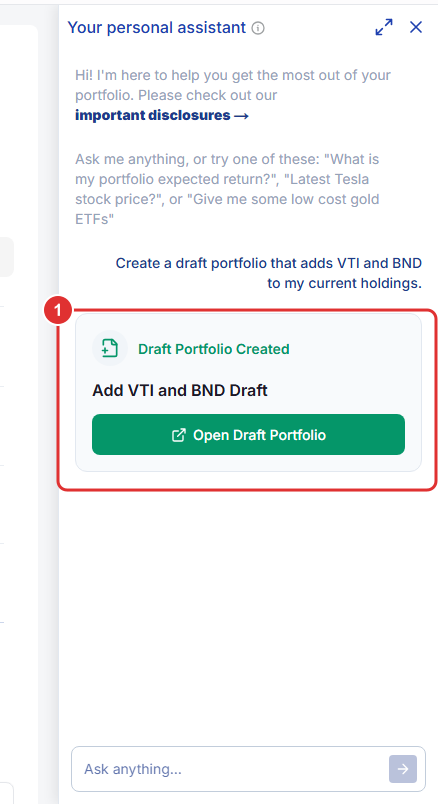
Ask the Assistant to add or remove holdings and it stages them in a draft. Your live portfolio is untouched until you act on it yourself. Figures shown are illustrative.
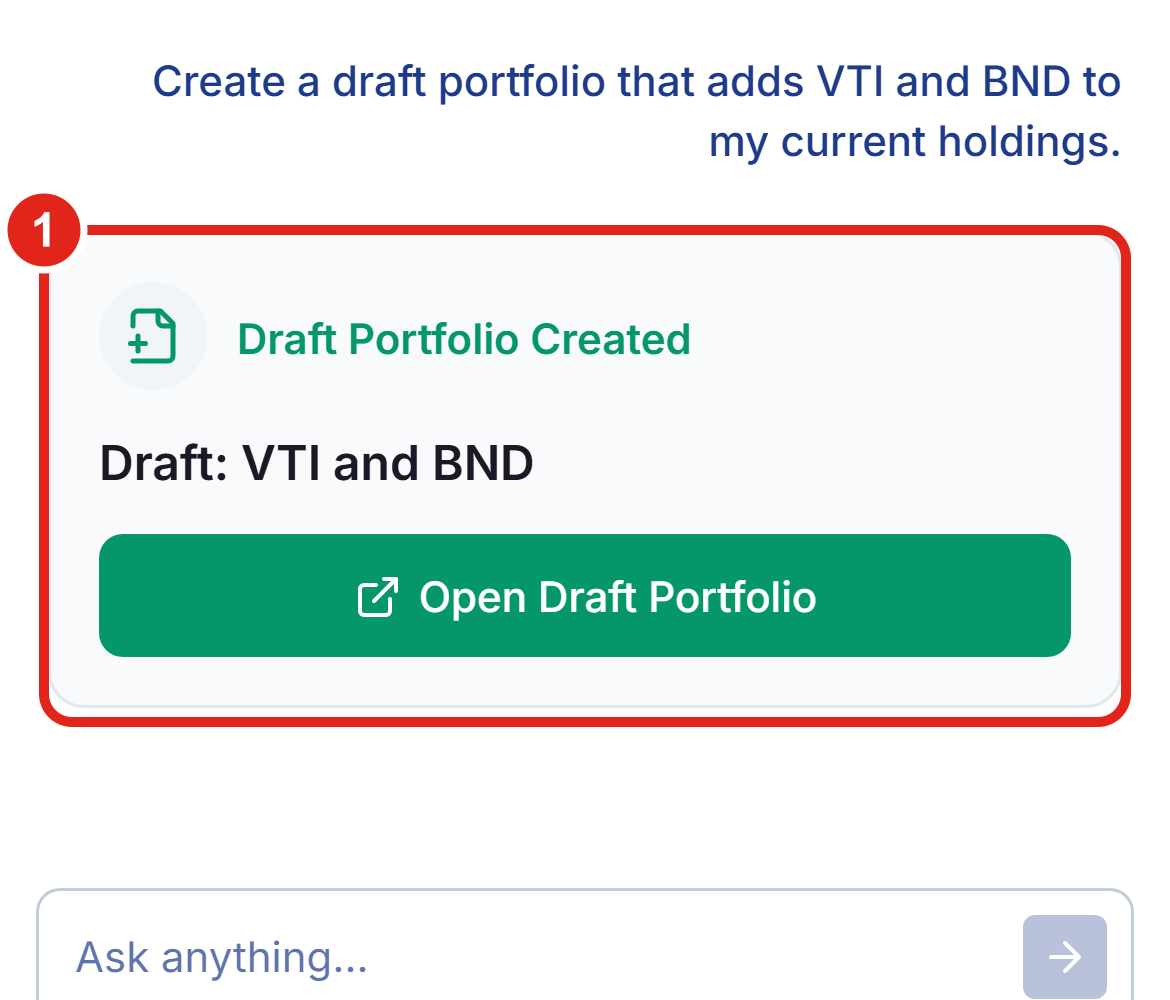
Mobile view: the same draft request in the full-screen chat. Figures shown are illustrative.
What the AI Assistant cannot do
The Assistant is built to help you analyze and plan, not to act on your money for you. Specifically:
- It does not execute trades or place orders: it can build and adjust a draft portfolio, but you place any actual trades yourself at your brokerage. PortfolioPilot does not trade on your behalf.
- It does not change your account settings: it cannot change your password, two-factor authentication, email, payment method, or subscription. Those stay in your control.
- It does not modify your live portfolio directly: holdings changes happen in a draft you review first, never silently in your real accounts.
- It does not overwrite your base retirement plan: retirement requests create what-if scenarios alongside your plan, leaving the original intact.
- Its stock screener does not cover ETFs or funds: ask it to compare funds conversationally, or use the Fund Screener in Explore.
- It can be wrong: like any AI, it can be incomplete or mistaken. Treat its output as a fast first draft and review before you act. See our disclosures.
Why this matters
Because the Assistant has context about your entire portfolio, your goals, and the market environment, you can treat it as an intelligent layer across the whole platform rather than a set of separate dashboards and filters. You can ask things like "What's the weakest part of my portfolio?", "How can I improve my risk-adjusted returns?", or "What's the fastest way to increase my retirement success probability?", and it can analyze, simulate, screen, and stage changes to help you decide more quickly, while you stay in control of every action.
Next steps
- Tutorial: Retirement Planning. Go deeper on the scenarios the Assistant builds: success probability, withdrawals, and spouse income.
- Tutorial: Draft Portfolio. Review and apply the changes the Assistant stages for you.
- Tutorial: Personalized Recommendations. Let PortfolioPilot suggest specific moves to raise your score.
- Tutorial: Portfolio Score. Understand the number the Assistant reports on and how to improve it.
- Tutorial: Crisis Simulation. Explore the forward-looking simulations the Assistant can trigger.
- Tutorial: Import Your Net Worth. Make sure every account is in, so the Assistant has the full picture.
Note: The AI Assistant combines large-language models with PortfolioPilot's internal APIs, financial models, and portfolio engine. Specific securities, simulations, or forecasts referenced or displayed are for illustrative purposes only and do not represent investment decisions made by Global Predictions. AI output can be incomplete or wrong; review it before you act.
Global Predictions provides investment advice only through its internet-based application, PortfolioPilot, and only to individuals who are advisory clients of Global Predictions pursuant to written advisory Client Agreements ("Advisory Services"). The publicly available portions of the Platform are provided for educational purposes only and are not intended to provide legal, tax, or financial planning advice. To the extent that any content may be deemed investment advice, such information is impersonal and not tailored to any specific person. Nothing on the publicly available portions of the Platform should be construed as a solicitation, offer, or recommendation to buy or sell any security. All charts, figures, and graphs are for illustrative purposes only. Before investing, consider whether any investment, strategy, security, or transaction is appropriate for you based on your objectives, financial circumstances, and risk tolerance, and consider consulting your legal, tax, or investment professional. Registration does not imply a certain level of skill or training. Investing involves risk. The value of your investment will fluctuate, and you may gain or lose money.
Case studies and examples presented are hypothetical scenarios intended for illustrative purposes only. They do not represent an actual client, investment, or experience, but rather are meant to provide an example of the intended process and methodology. An individual's experience may vary based on his or her circumstances. There can be no assurance that the Firm will achieve similar results in comparable situations. No portion is to be interpreted as a testimonial or endorsement of the Firm's investment advisory services.
The contents of the Platform may contain forward-looking statements based on management's beliefs, assumptions, current expectations, estimates, and projections. Forward-looking statements are not guarantees of future performance, and actual results may differ materially from those expressed or forecasted. Note: our use of the term AI refers to all artificial intelligence models used, including large language models, proprietary economic models that incorporate regression or dynamic factors, and machine learning methods like supervised learning. For more information, see our disclosures at globalpredictions.com/disclosures.
The AI Assistant is available to Gold, Platinum, or Pro subscribers, all available with a 10-day free, no-credit-card trial. Access to portfolio-context responses and scenario features may vary by subscription level.
